The First 30 Days of IoT in a Brownfield Factory
DBR77 Team · Published
In the first 30 days of IoT in a brownfield factory, aim for one line where every stop is visible, every stop has a reason, and one person owns the response. With that in place after four weeks, the project has a foundation for the next lines, which dashboards for twenty machines that nobody acts on cannot give you.
Below is the plan we use, week by week, including how to connect machines that are twenty or thirty years old.
What the first month should and should not deliver
A good first month delivers three things: live status from every machine on one line, downtime reasons captured at the moment of the stop, and a working alert route with an owner. It also delivers a baseline, so that later results can be compared with something real.
It should not deliver integration with ERP, a plant-wide rollout or predictive models. Those come later and depend on the clean event data the first month creates. McKinsey describes how many companies get stuck in "pilot purgatory"; trying to do everything at once is one of the fastest ways in.
The four weeks at a glance:
| Week | Focus | What is in place at the end of the week |
|---|---|---|
| 1 | Scope, owner and baseline | One line chosen, a line owner from production, the decision contract agreed, current response time and unexplained downtime recorded |
| 2 | Connecting the machines | Every machine on the line reports its status, older machines through edge devices or a camera |
| 3 | Reasons, alerts and owners | Short reason lists at each machine, alert routes to one role per shift, a written escalation rule |
| 4 | First review | Response time, unexplained downtime and the top three losses compared with the baseline, the next line chosen |
Week 1: Scope, owner and baseline
Choose one line, preferably the bottleneck or the line with the most unexplained downtime. Name a line owner from production, not from IT. Then agree on what we call the decision contract:
- Which five metrics matter on this line, for example availability, response time, top stop reasons, output per shift and scrap.
- Who acts on each one, by role and shift.
- Which threshold makes that person act.
Finish the week by recording the current state: how long responses take today and how much downtime has no reason.
Week 2: Connect the machines, including the old ones
Brownfield lines mix machines from different decades. That is normal, and the line does not need to be modernized first. Each machine type gets the connection that fits it.
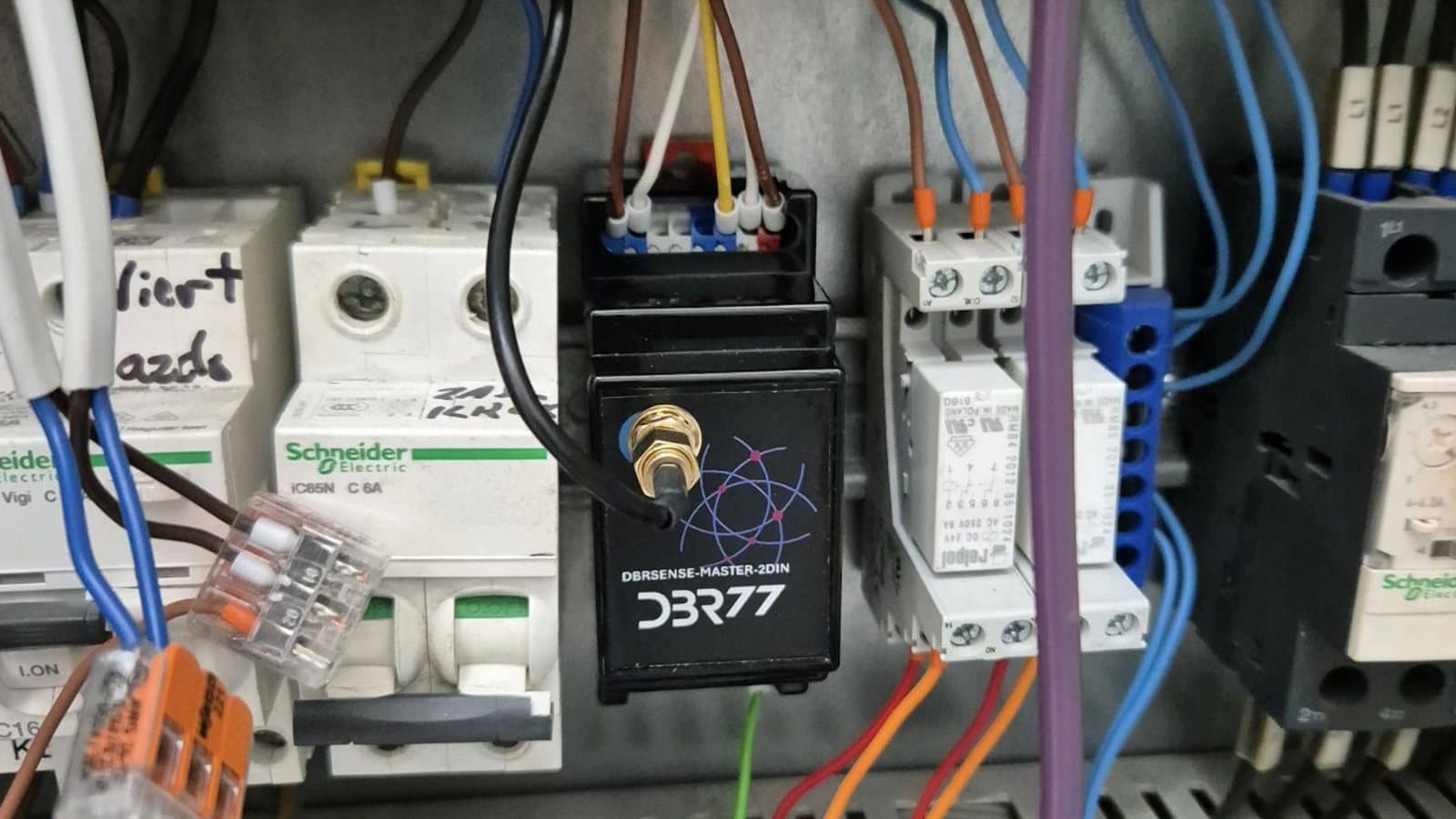
A PLC is read directly over OPC UA or Modbus, machines without a network or without a PLC get an edge device, and a station with no signal at all can use a camera as a sensor through IRIS Vision AI. Our article on connecting old machines without a PLC goes through each case.
Edge devices send data upstream over MQTT, a lightweight messaging standard. The network follows the building: Wi-Fi where it reaches, LoRaWAN for far corners of large halls, a SIM connection where there is no network at all.
In a modelled base case for a typical brownfield site, 11 of 13 machines could be connected and visible in about three weeks. The line keeps running during installation; most work happens during planned stops.
Not sure how your oldest machines would connect?
Send us the machine list for one line. In a 30-minute call we go through each machine and the connection it needs.
Week 3: Reasons, alerts and owners
Once machines report their status, the work moves to the people side, where most of the value is created.
- Reason lists. Keep them short: 10 to 15 reasons per machine type, named in the language operators use. Long lists end up with "other".
- Capture at the stop. The operator picks the reason on a tablet at the machine. It takes about two seconds and happens while the cause is still obvious.
- Alert routes. Each stop type goes to one role on the current shift: mechanical faults to maintenance, material shortages to logistics.
- Escalation rule. For example: no acknowledgement within 5 minutes means the shift leader gets the alert. Write it down and tell the shift.
Expect operators to test the system in the first days. If reasons are missing or wrong, treat that as a problem with the list and fix it.
Week 4: First review and the next decision
At the end of the month, compare the line with the baseline from week one. Three numbers tell you whether the project is working:
- response time from stop to first action;
- share of downtime with no reason;
- the top three losses by minutes, now taken from recorded stops.
Response time is usually the first of these to move: on one corrugated-packaging line, it fell from 24 to 9 minutes once stops were visible and owned.
Close the month with a decision: what to improve on this line, and which line comes next. The first 90 days article covers what to measure after that. Once a line is connected, the same data can also feed a digital twin of the line for testing changes before making them on the floor.
Mistakes that slow down the first month
- Starting with too many lines. Get one line working before you add the next.
- An IT-led project without a production owner. The line owner decides what matters.
- Copying reason codes from the ERP. Those codes are written for accounting; operators need reasons named in the language they use at the machine.
- Alerts without owners. Route each stop type to one role on the shift, as in week 3.
- No baseline. Without week-one numbers, nobody can prove the result.
FAQ
Does production have to stop during installation?
No. Read-only connections to PLCs and clamp-on sensors are installed during normal operation or planned stops. The control logic on the machines stays as it is.
What if our machines have no PLC?
Then an edge device reads the signals that are available, such as motor current, the stack light or a cycle sensor. For manual stations without any signal, a camera can act as the sensor.
Which network do we need?
Whatever reaches the machines. Wi-Fi is most common. LoRaWAN covers large halls with few access points, and a SIM connection works where there is no plant network.
Who needs to be involved from our side?
A line owner from production, someone from maintenance, and an IT/OT contact for network and security questions. A few hours a week from each is enough in the first month.
What happens after 30 days?
The line runs with live status, reasons and alert routes. Next come improvement actions on the top losses and the decision on the next lines. Security reviews usually reference ISA/IEC 62443; processing stays on site, inside your IT/OT boundary.
Conclusion
If you are planning the first month now, start with the week 1 work: pick the line, name the owner from production and write down the decision contract. In the same week, list every machine on that line with its age and whether it has a PLC and a network connection, so the week 2 installation can be planned around the line's planned stops.
Plan the first 30 days on your line
We agree the scope, owner, baseline and success criteria with you, then connect the line without stopping production.
Sources
- OPC Foundation, OPC Unified Architecture
- Modbus Organization, modbus.org
- OASIS, MQTT Version 5.0
- LoRa Alliance, About LoRaWAN
- ISA, ISA/IEC 62443 series of standards
- McKinsey & Company, IoT value set to accelerate through 2030
- DBR77 IIoT pilot data and modelled base cases, 2026