Why Machine Alerts Fail on the Shop Floor: False Alarms, Escalation and Response Time
DBR77 Team · Published
Machine alerts fail on the shop floor when there are too many of them, when they are sent to a group instead of a person, and when nobody tracks what happens after they fire. They work when each alert is a real event, becomes a task with one owner, and escalates on a written rule.
On one corrugated-packaging line, that change cut the average response time to a stop from 24 to 9 minutes by closing the gap between the stop and the response.
Where the 24 minutes went
Before the change, a stop followed a familiar path. When the machine stopped, someone noticed sooner or later and walked to find the shift leader, who radioed maintenance. Maintenance then had to find out what had stopped, and where.
Most of that time passed before anyone knew the machine was down. After the change:
- The stop becomes an alert the moment it happens.
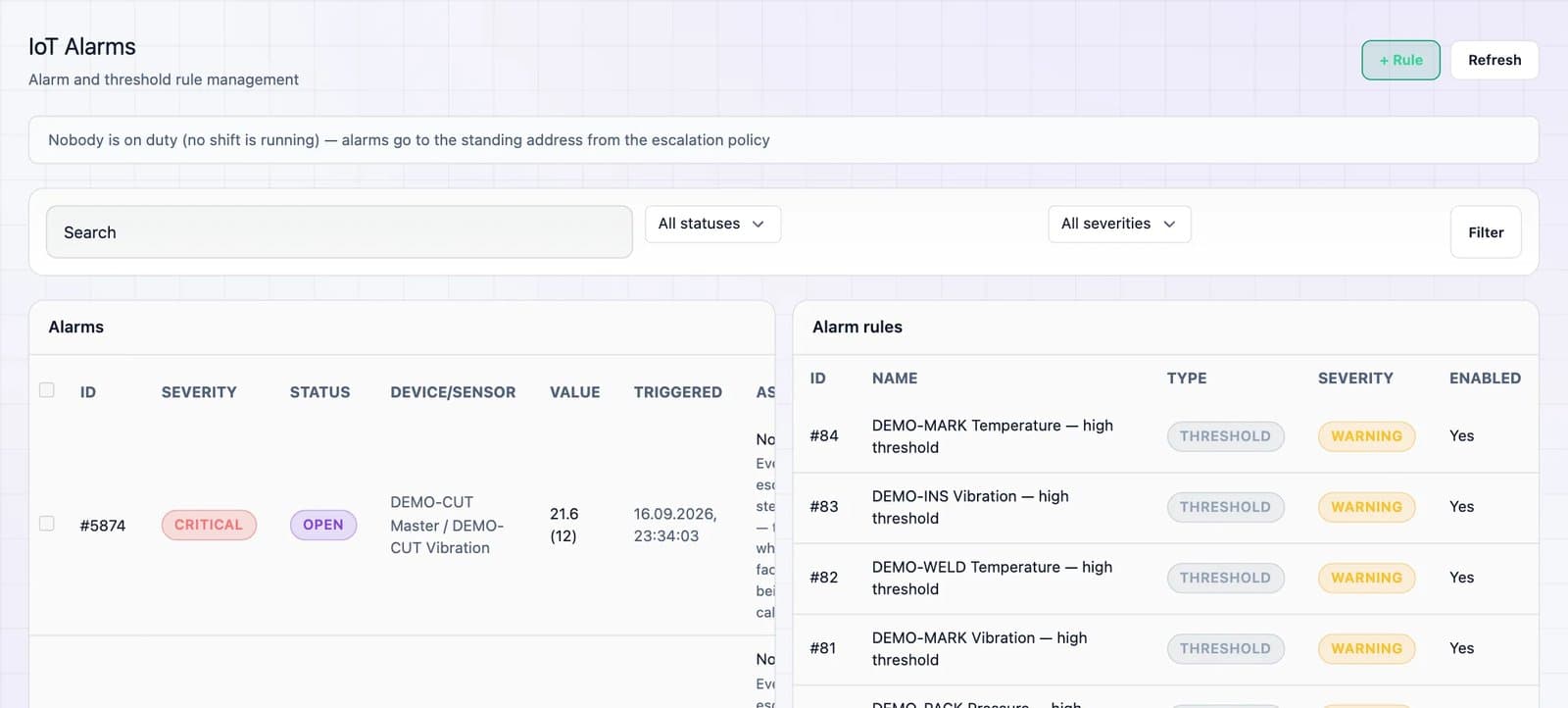
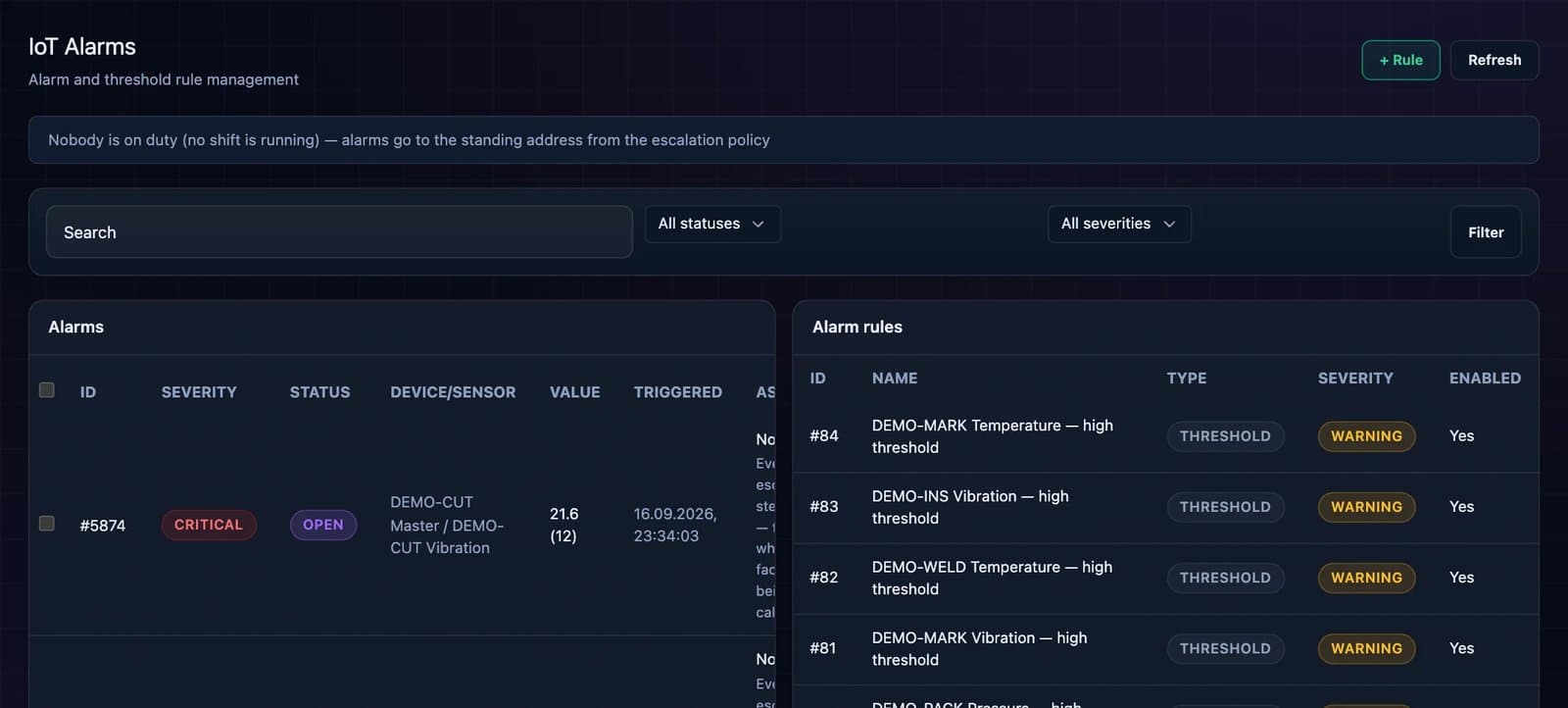
- The alert becomes a task with an owner on the current shift, with machine, time and reason attached.
- The response is tracked in the system: when it was acknowledged, when work started, when the machine ran again.
The 15 minutes saved came from finding out about the stop sooner, and the repair work stayed the same. So put the effort into shortening the delay between a stop and the moment the right person knows about it. The pilot is described in more detail in How to Reduce Downtime with Real-Time Data.
Why alerts get ignored
Plants that switch on machine alerts often get noise. Phones buzz all shift, most alerts need no action, and after a week people stop looking.
Control rooms in the process industries learned this long ago. The Energy Institute defines an alarm as a signal indicating a problem requiring the operator's attention and response. Its briefing note cites the EEMUA recommendation of an average of about one alarm per 10 minutes, and a petrochemical case where operators faced one per minute.
Alarm management standards formalize this. ANSI/ISA-18.2 manages alarms through a lifecycle from philosophy and rationalization to monitoring and audit. ISA also publishes a technical report for batch and discrete processes aimed at minimizing nuisance alarms. EEMUA 191 is the other widely used guide. The same principle applies on the shop floor: an alert that needs no action should be removed.
Common alert problems and how to fix them
Most alert failures on a discrete line have a handful of causes. The thresholds below are illustrative starting points; tune them to your machines.
| Alert problem | Cause | Fix |
|---|---|---|
| Alerts for stops that cleared themselves | No minimum stop duration | Debounce: alert only if the stop lasts longer than, for example, 2 minutes |
| Same stop alerts over and over | Signal flickers between running and stopped | Hold time before the state can change again |
| Five alerts for one problem | Upstream stop starves or blocks the rest of the line | Group alerts by line and send the root stop only |
| Alerts during breaks and changeovers | Planned downtime not in the system | Shift calendar and planned stops suppress alerts |
| Alert read by nobody | Sent to a group or a shared screen | One owner by role on the current shift |
| Owner arrives without knowing what to bring | Alert contains only "machine stopped" | Machine, location, duration and operator's reason in the alert |
Short stops need special care. Vorne describes minor stops as well under five minutes and not requiring maintenance. Count them and review them daily without paging a technician for each one.
See how an alert becomes a task with an owner
In a 30-minute demo we show live stops, reason capture, alert routing and escalation in DBR77 IIoT on a real line setup.
Escalation rules that work
Without an escalation rule, an unacknowledged alert simply waits. A workable starting set (illustrative values):
- Not acknowledged within 5 minutes: the shift leader gets the alert.
- Acknowledged but the machine is still down after 20 minutes: the maintenance lead is informed.
- The bottleneck machine down for more than 30 minutes: the production manager is informed, because the shift plan is at risk.
- The same stop reason three times in one shift: a follow-up task for the next day's review.
Escalate to a supervisor when a decision is needed that the owner cannot make: moving people, changing the plan, calling an external service. There is no need to escalate while the owner is already working on it within normal repair time. Write the rules down before go-live.
Make every alert a task
Unlike a notification, which only reports that something happened, a task has an owner, a status and a closing time. On the packaging line, turning alerts into tasks is what brought response time down.
In DBR77 IIoT, the operator selects a stop reason at the machine in about two seconds, and the alert reaches the owner as a task in the operator app. Acknowledgement and closing are time-stamped. For plants that want the next step, IRIS closes the loop further, from detection to assigned action and follow-up.
Alerts also need context: a stop during a changeover means something different from a stop during a run. Our article on why machine data is useless without context covers this. If you already run a CMMS, decide later whether alerts should create work orders there; see when to integrate IoT with MES, ERP and CMMS.
How to know if your alerts work
Review these numbers weekly with shift leaders:
- Alerts per owner per shift. If one person gets dozens, thresholds or grouping need work.
- Share acknowledged within 5 minutes. A falling share is the first sign of fatigue.
- Average response time to a stop. This is the outcome; the other three numbers explain it.
- Alerts closed with no action. Each one is a candidate for removal.
Siemens estimates the world's 500 largest companies lose about 11% of annual revenue to unplanned downtime, and the minutes between a stop and the right person knowing about it are the cheapest part of that loss to remove.
FAQ
How many alerts per shift are too many?
There is no single shop-floor number. Control-room guidance uses about one alarm per 10 minutes as a benchmark. If an owner gets alerts faster than they can act, tune thresholds and grouping first.
What minimum stop duration should trigger an alert?
Start with 1 to 3 minutes, depending on the machine's normal micro-stops. Shorter stops should still be recorded and reviewed daily, without paging anyone.
Should alerts go to a group chat or a shared screen?
They are fine for visibility. Ownership is different: every alert needs one named owner on the current shift, otherwise everyone assumes someone else has it.
Do operators have to enter a reason for every stop?
For stops above the alert threshold, yes. It takes about two seconds and beats end-of-shift notes.
Can alerts work without connecting to our CMMS?
Yes. Alerts as tasks with owners deliver the response time gain on their own. CMMS integration can follow later.
Conclusion
Before adding new alerts, take one line and review a week of its alerts with the shift leaders, using the four numbers above. The alerts closed with no action show where a minimum stop duration or grouping is missing. Fix those first, then write the escalation rules for the alerts that remain.
Set up alerts your shift leaders will trust
Book a demo and we will walk through thresholds, grouping and escalation rules for one of your lines.
Sources
- Energy Institute, Human factors briefing note no. 2: Alarm handling, 2011
- ANSI, ANSI/ISA 18.2-2016, Alarm Systems for the Process Industries, 2016
- ISA InTech, ISA18 charts updates to ISA/IEC alarm management standard and technical reports, 2017
- EEMUA, Publication 191: Alarm systems, a guide to design, management and procurement, 2024
- Vorne, The Six Big Losses, 2026
- Institute for Supply Management, The Monthly Metric: Unscheduled Downtime (summary of Siemens data), 2024
- DBR77 IIoT pilot data, corrugated-packaging line (client anonymous), 2026