How Can Your Team Teach a Camera What to Look For Without a Dataset?
DBR77 Team · Published
Your team can teach a camera by describing in words what to look for and what a good and a bad result look like. In DBR77 IIoT, an engineer types the object, for example "fasteners on flange A", the desired result, "10 of 10 fitted, lockwired", and the undesired one, "missing or wrong fastener". Marking a few parts OK or NOK gives the system your own reference. Every scene then has three outcomes: a desired result, an undesired result, and a deviation nobody has described yet, which an engineer names once. There is no dataset to collect and no training project, but every check should be tested on photos from your own line before it goes live.
This article is part of our series on cameras in production. The other parts cover checking every fastener against a reference and checking that every step was done in the right order.
Why classic machine vision needs a dataset
Most vision systems learn a fixed list of categories. The authors of CLIP, a model that links images and text, describe the cost of that approach: it limits their generality and usability since additional labeled data is needed to specify any other visual concept. Every new part, tool or defect means new images and new labels.
For quality checks, those images are hard to get. The MVTec AD paper, a widely used benchmark for industrial inspection, notes that industrial processes are optimized to produce a minimum amount of defective samples. A good line makes few bad parts, so collecting enough examples of each defect takes time.
In practice, that often means a vision project only for the check that pays off most, while the rest stays on paper.
How describing in words works
Newer detection models take a text description instead of a fixed list. Grounding DINO, a research model of this kind, detects arbitrary objects with human inputs such as category names or referring expressions. This is called open-vocabulary detection.
Vision AI in DBR77 IIoT uses this principle in two steps:
- Teach. An engineer describes the scene: what to look for, what the desired result looks like and what the undesired one looks like. For fine differences, the team marks a few parts OK or NOK, and from then on quality is checked against that reference.
- See. Every image is compared with what the system was taught, and the result falls into one of three outcomes, which are described below.
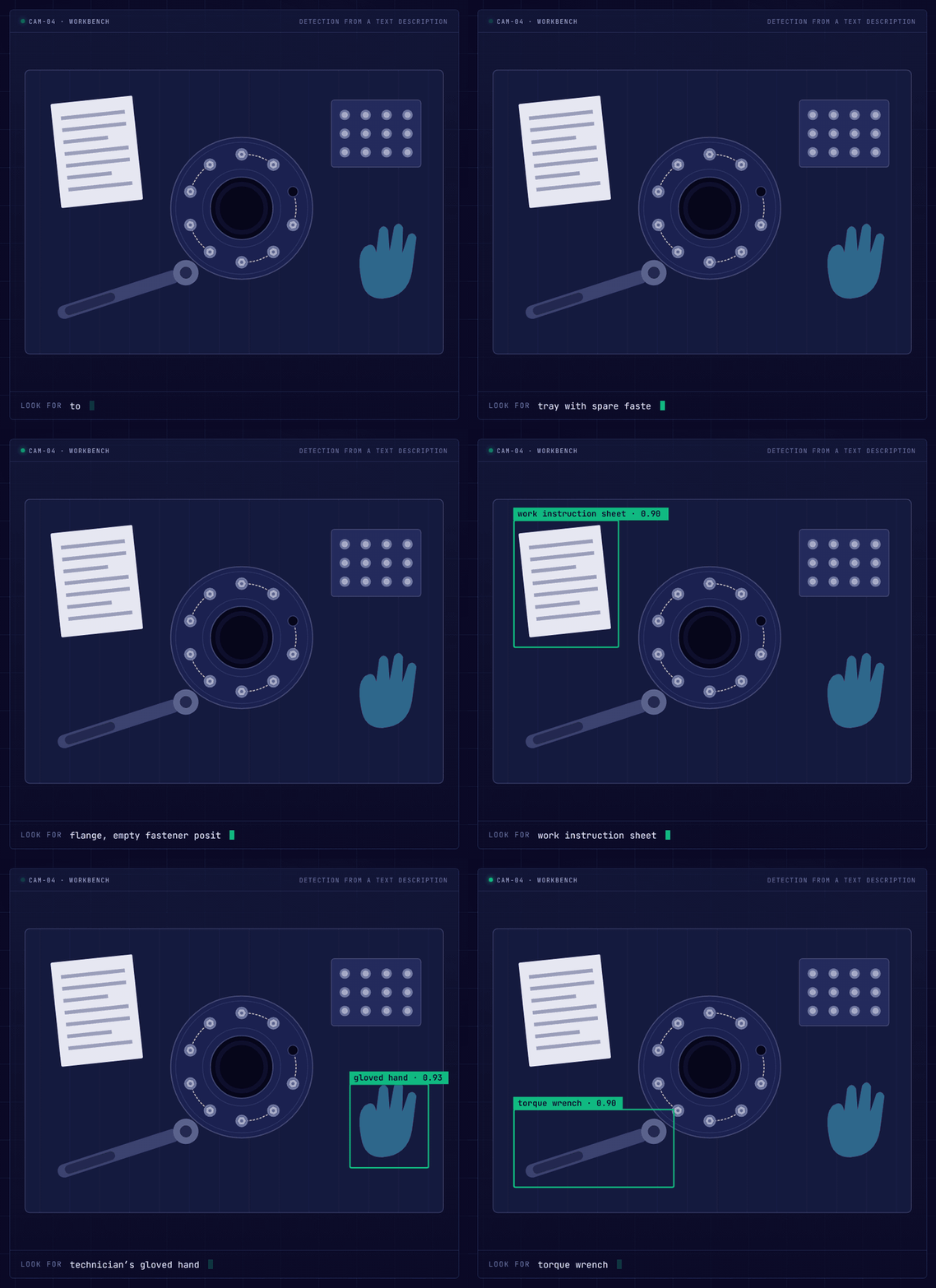
Illustrative example based on the DBR77 Vision AI presentation: each object is boxed as soon as it is described in words.
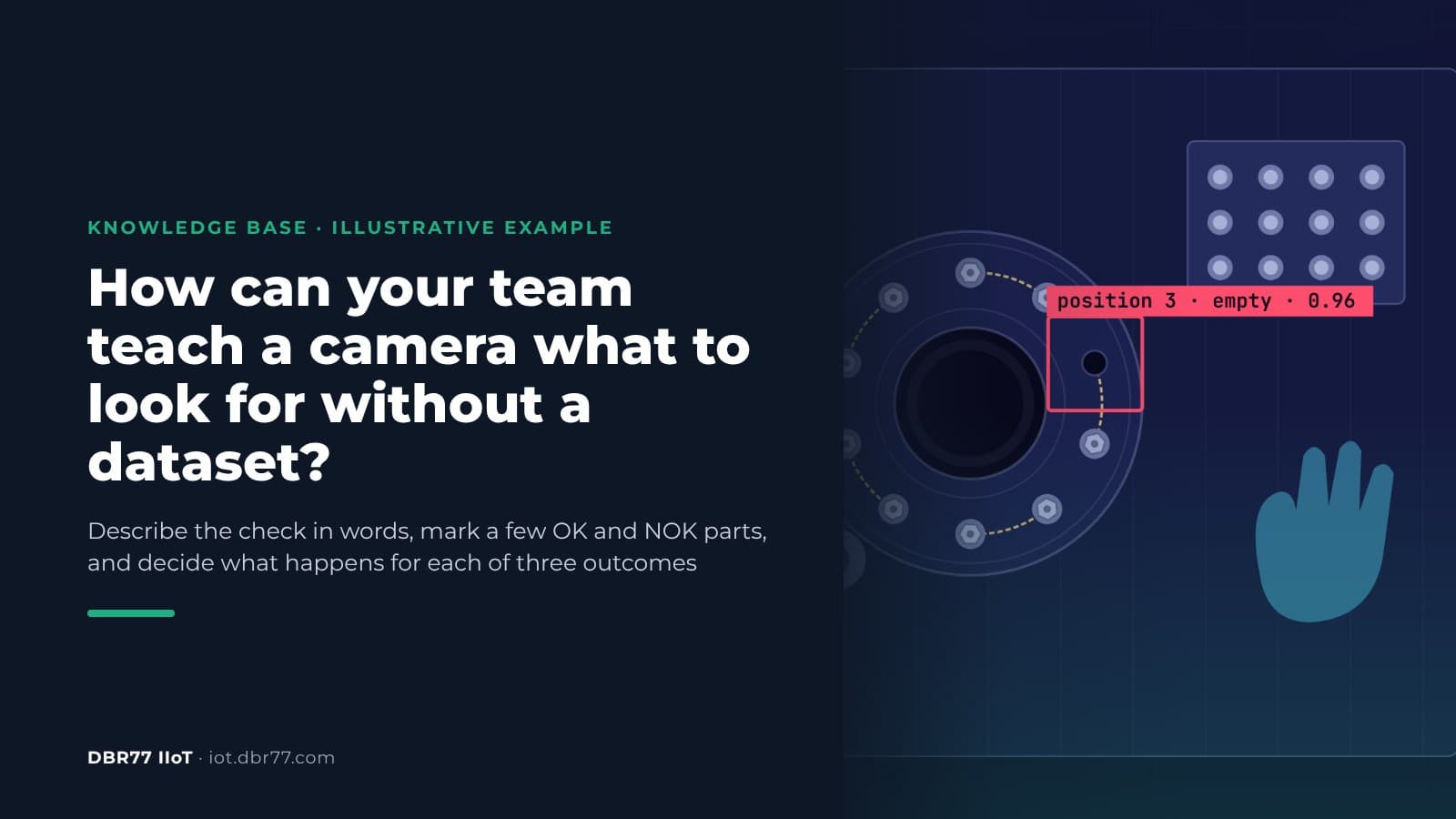
In this illustrative example, a camera looks at a workbench. The engineer types "torque wrench", "tray with spare fasteners", "flange, empty fastener position", "work instruction sheet" and "technician's gloved hand". Each object is boxed once it is described, and the empty position is marked in red.
Engineers and technicians can add new checks during operation. When the line gets a new part or a new tool, they describe it and the camera looks for it from then on.
Three outcomes for every scene
Every check has three possible results, and the team decides what happens with each:
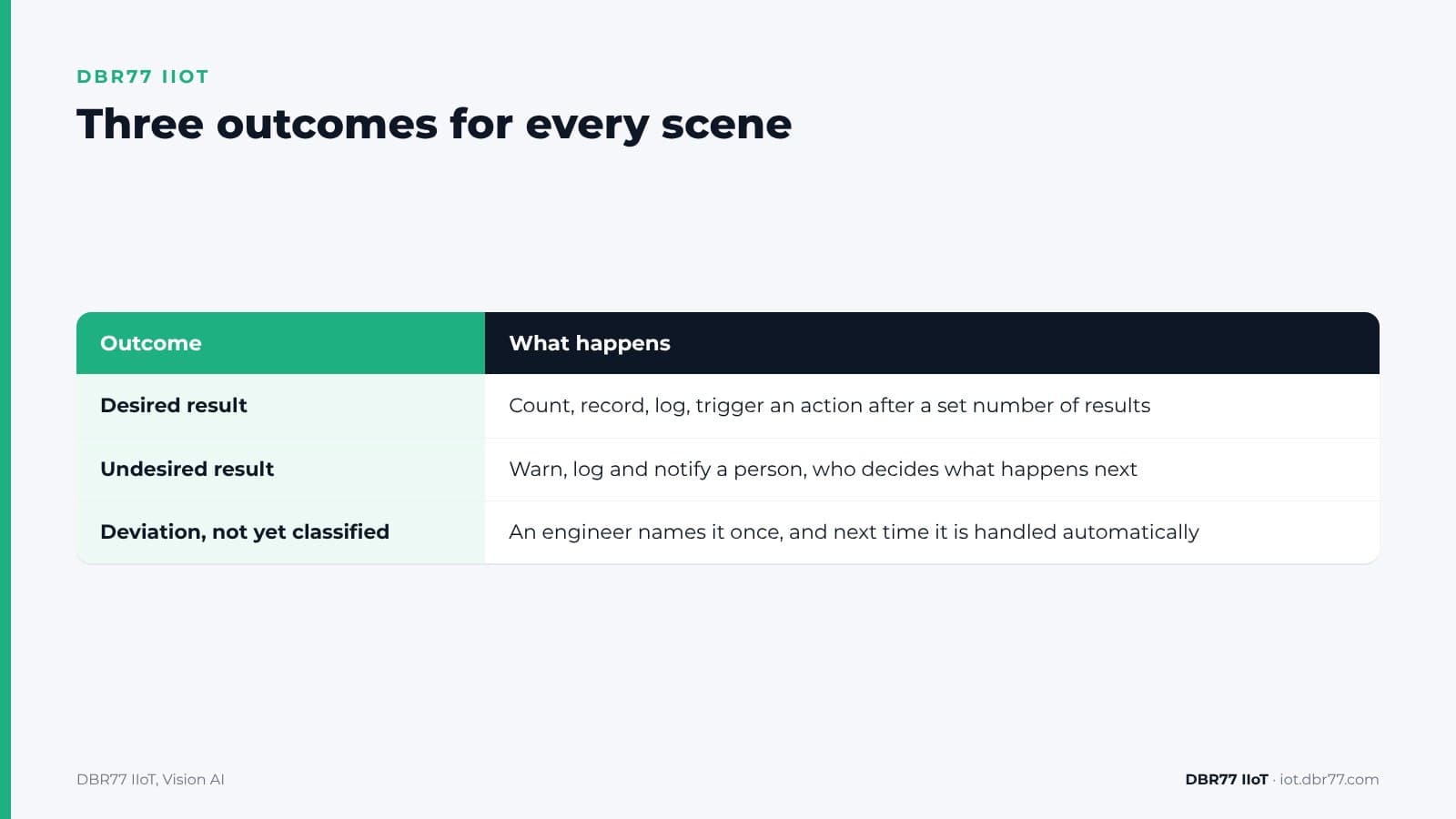
- Desired result. The system counts, records and logs it, and can trigger the next step after a set number of results. For example, bolt 7 is fitted and confirmed, and after 10 of 10 the system triggers the action the team set, for example a message that flange A is complete.
- Undesired result. The system warns, logs and notifies a person. For example, the fastener at position 4 is the wrong type, and the technician gets an image with the area marked. The system does not stop machines; a person decides what happens next.
- Deviation, not yet classified. Something appears that nobody has described, for example an unknown object on the flange. An engineer names it once, it becomes a new category with its own actions, and next time it is recognized and handled automatically. The new category feeds back into step 1.
| Outcome | What happens |
|---|---|
| Desired result | Count, record, log, trigger an action after a set number of results |
| Undesired result | Warn, log and notify a person, who decides what happens next |
| Deviation, not yet classified | An engineer names it once, and next time it is handled automatically |
The third outcome is the one that keeps the system up to date. Research describes a similar idea, open-world detection: a detector flags objects it has not been taught as unknown, and an oracle provides labels for the objects of interest among all the unknowns. On the shop floor, that oracle is your engineer.
Describe one check from your line
Send us a few photos and one or two short videos of a station, taken under your photo policy, and tell us in words what to look for. We show you what the system finds and what it misses.
Where describing in words reaches its limits
Text descriptions work best for objects that look like what the words say. Research points to two weak spots.
The first is new domains. A benchmark of 100 datasets from many fields found that zero-shot object detection models lose considerable performance when extended to new domains. A factory floor, with its own parts, lighting and angles, can be such a domain.
The second is fine detail. A 2023 study of open-vocabulary detectors found that they struggle to accurately capture and distinguish finer object details such as color, pattern and material. A 2025 preprint that tested recent foundation models with text prompts on real industrial images from series production went further. The authors write that all of the models fail on our real-world data, while the same models perform well on public benchmarks.
That is why describing in words is only the first step. The test on your own photos shows where the description is enough, the OK/NOK reference is meant for fine differences such as a fitted versus a missing lockwire, and the test shows whether it is enough. The third outcome flags deviations the camera notices but nobody described.
Who owns the rules and the reactions
A check is only useful if someone acts on its result. Lean practice has long treated this as a shop-floor job: an andon board signals whenever an abnormality occurs, and the team leader responds. With Vision AI, the same people who know the station write the checks and decide the reactions.
Agree on a few things before the first check goes live:
- Who may add checks. For example, the process engineer and the shift's lead technician.
- How new categories are named. Short names that everyone on the line understands, written down in one place.
- Who reviews the third outcome. Someone looks at unclassified deviations every shift or every week, so they do not pile up.
- Who gets each notification. Too many alarms teach people to ignore them, as our article on why IIoT alerts fail on the shop floor shows.
How to test it on one station
The test follows the same path as any Vision AI check: a demo and a look at your station, a test on a few photos and short videos under NDA, a proof of concept on one station, and a rollout only if the results convince you.
- Camera. Any standard IP camera can be used. Each image is analyzed in about 25 ms on a computer inside your building.
- Definitions. An engineer describes in words what to look for and what counts as a good and a bad result, and the team can add new checks during operation. There is no dataset to collect and no training project.
- Reaction. You decide what happens: count, log, warn or notify a person, without programming. The system does not stop machines; a person decides.
- Cost. It is made up of the edge unit, the AI chip, the cameras and a monthly software license per unit. One unit can evaluate 1 to 40 cameras in parallel.
When a camera is the better sensor for a job, and when it is not, is covered in our article on cameras as sensors.
Where this sits in DBR77 IIoT
Vision AI is the camera layer of DBR77 IIoT. The same principles apply across the system:
- Our devices only read. They never send commands to your machines and do not change the control system.
- Images are analyzed on site and video is not recorded.
- Vision AI runs on DBR77 Vector, our own industrial AI, which can be deployed on your servers. Your data trains no model without written consent, and DBR77 is certified to ISO/IEC 27001:2022.
- Vision AI events land in IRIS, next to the machine data.
FAQ
Do we need to collect images first?
Not to train the system. For the test we ask for a few photos and one or two short videos of the station, and for fine differences the team marks a few parts OK or NOK as a reference.
Who can add a new check?
Engineers and technicians, during operation. They describe the object and the good and bad result in words, and set the reaction without programming.
What happens when the camera sees something nobody described?
It is reported as a deviation that is not yet classified. An engineer names it once, decides what should happen, and next time it is handled automatically.
Does it work for every part?
Not automatically. Text descriptions are weaker for fine details and unusual parts, so every check is tested on photos from your line first, and the OK/NOK reference is there for differences that words do not capture.
Can a check stop the line?
No. A check can count, log, warn or notify a person. The system does not stop machines; a person decides.
Conclusion
Pick one station where a check is still done by eye or on paper, and write down in plain words what the camera should look for, what a good result looks like and what a bad one looks like. Collect a few OK and NOK parts and decide who gets notified when something goes wrong. Then agree who will name the deviations nobody described. That gives you the basis for a first test on photos and short videos from the station.
Bring one check to the demo
Bring a written description of one check from your line. We show you how it is entered, which outcomes it produces on a similar example and what it would need in your plant.
Sources
- A. Radford et al., Learning Transferable Visual Models From Natural Language Supervision, 2021
- P. Bergmann et al., MVTec AD: A Comprehensive Real-World Dataset for Unsupervised Anomaly Detection, CVPR, 2019
- S. Liu et al., Grounding DINO: Marrying DINO with Grounded Pre-Training for Open-Set Object Detection, 2023
- F. Ciaglia et al., Roboflow 100: A Rich, Multi-Domain Object Detection Benchmark, 2022
- L. Bianchi et al., The devil is in the fine-grained details: Evaluating open-vocabulary object detectors for fine-grained understanding, 2023
- S. Baeuerle et al., Are Foundation Models Ready for Industrial Defect Recognition? A Reality Check on Real-World Data, preprint, 2025
- K.J. Joseph et al., Towards Open World Object Detection, CVPR, 2021
- Lean Enterprise Institute, Lean Lexicon, 5th edition, excerpt
- DBR77, DBR77 IIoT, 2026
- DBR77, IIoT and Vision AI customer presentation, 2026