How Can Cameras Help When Someone Falls or the Site Is Evacuated?
DBR77 Team · Published
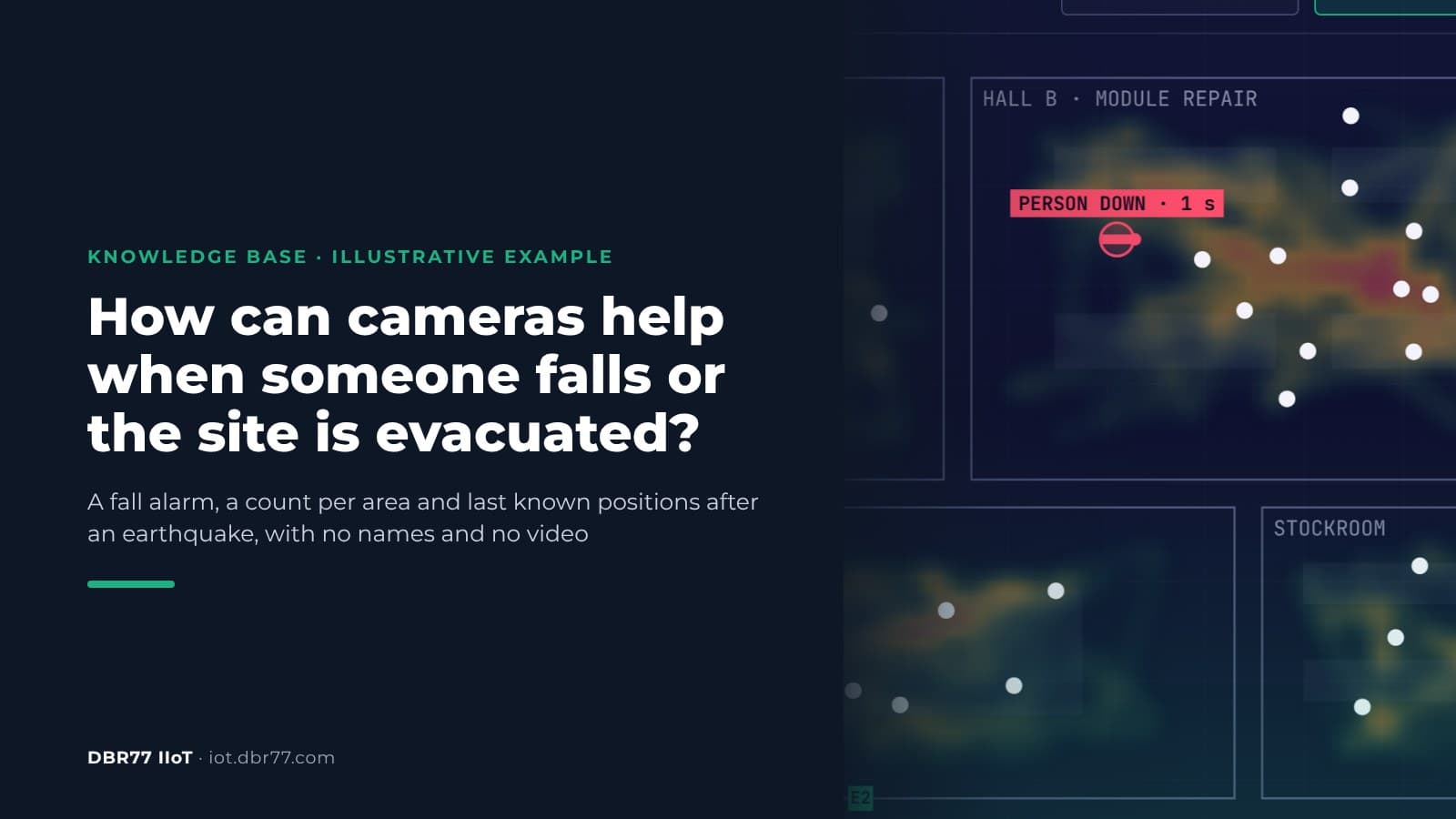
Cameras that already watch the halls can raise an alarm when someone falls and does not get up, and they can show how many people are still inside after an evacuation alarm. In DBR77 IIoT, Vision AI counts people per area without naming them and builds a heatmap of where they move. When a person falls and stays down, it alerts the shift lead and first aiders. After an earthquake, it shows the headcount at the moment of the quake, how many people have reached an exit and the last known positions of the people still inside. It does not replace worn alarms, the evacuation plan or the headcount at the assembly point.
This article is part of our series on cameras in production. The other parts cover warning people who get too close to a robot and running a time study without identifying anyone.
Why falls and evacuations deserve attention
Falls are among the most common causes of serious accidents at work. In the EU in 2023, slipping, stumbling or falling caused 20.0% of non-fatal accidents and 15.4% of fatal ones, second only to loss of control of machines, tools or transport and handling equipment. In the United States, fatal falls, slips and trips numbered 844 in 2024, out of 5,070 fatal work injuries.
What happens after the fall matters too. Someone who works alone in a stockroom, at night or behind a line can lie on the floor for a long time before anyone walks past. German accident insurance guidance on personal emergency signal systems says that if help cannot start within 15 minutes of the alarm, the rescue chain cannot be considered effective.
Evacuations raise a different question: who is still inside? Where an OSHA standard requires an emergency action plan, the plan must include procedures to account for all employees after evacuation. In practice this is a list and a headcount at the assembly point, and it gets harder when shifts, visitors and contractors mix.
What the camera does in the halls
In an illustrative example from our demo, 12 cameras cover four areas of a plant: engine assembly, module repair, test and inspection, and the stockroom. The system works in three modes:
- Movement heatmap. The system counts people per area and shows where they move and where they stay. It follows movement without naming anyone.
- Person down. When a person falls and does not move, the system raises an alarm. In the demo the alarm goes out in under a second after the fall and goes to the shift lead and the first aiders. The system opens the live view of that camera and logs the event with an image and the position. Only an image of each alarm event is stored, not video.
- Earthquake. When an earthquake alarm is raised, the system shows the headcount at that moment, how many people have reached an exit and how many are still inside. For those still inside it keeps the last known position, direction and time, and prepares a package for the rescue team: floor plan, last known positions and the heatmap of the last 10 minutes.
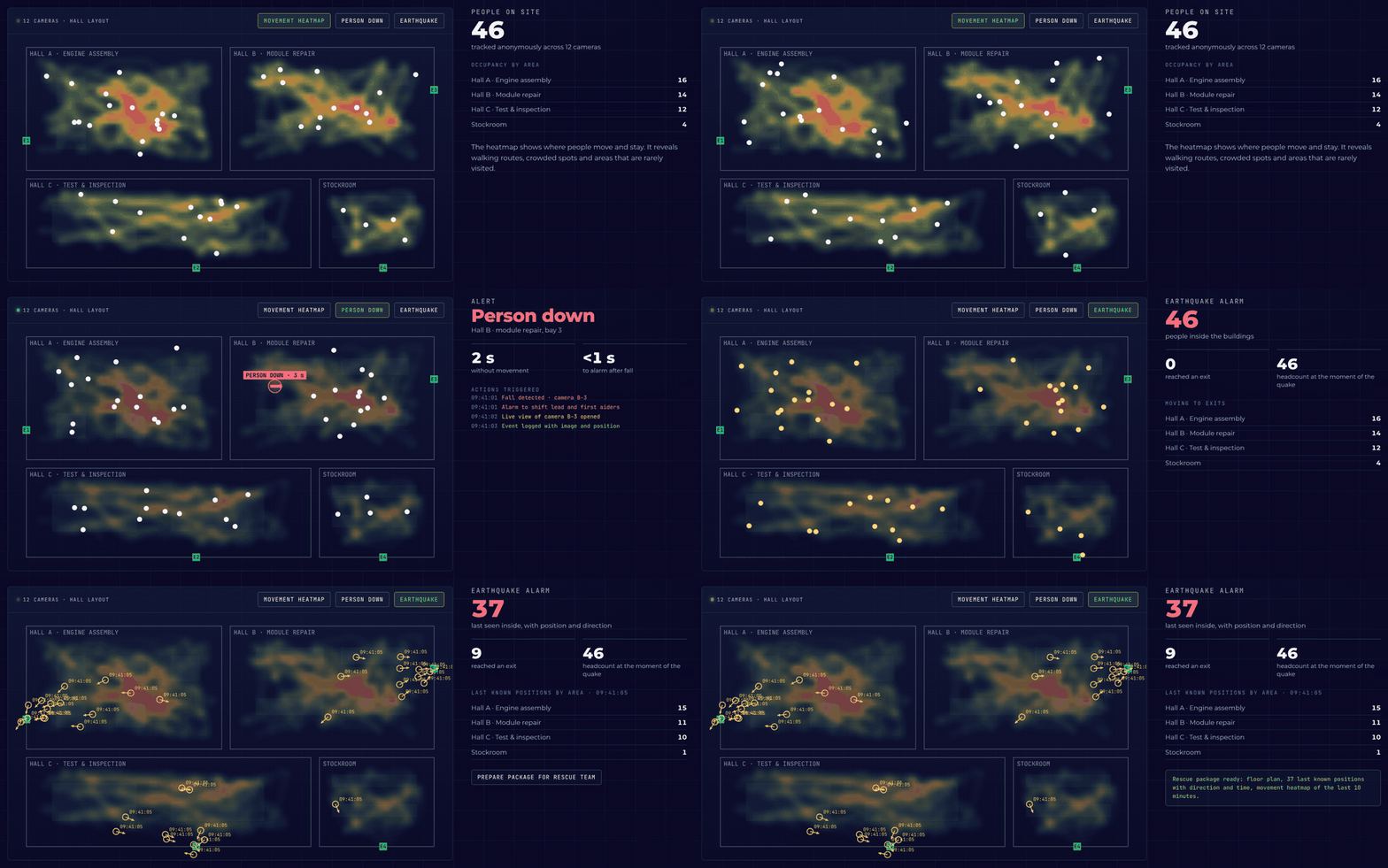
Illustrative example based on the DBR77 Vision AI presentation: people are counted per area without names, a fall raises an alarm, and after an earthquake alarm the last known positions stay on screen.
In the example, 46 people work across the four areas. A person in hall B falls and stays on the floor; the alarm goes out and the counter shows how long the person has not moved. Then an earthquake alarm is raised, people head for the exits, and the screen keeps the last known positions of those still inside.
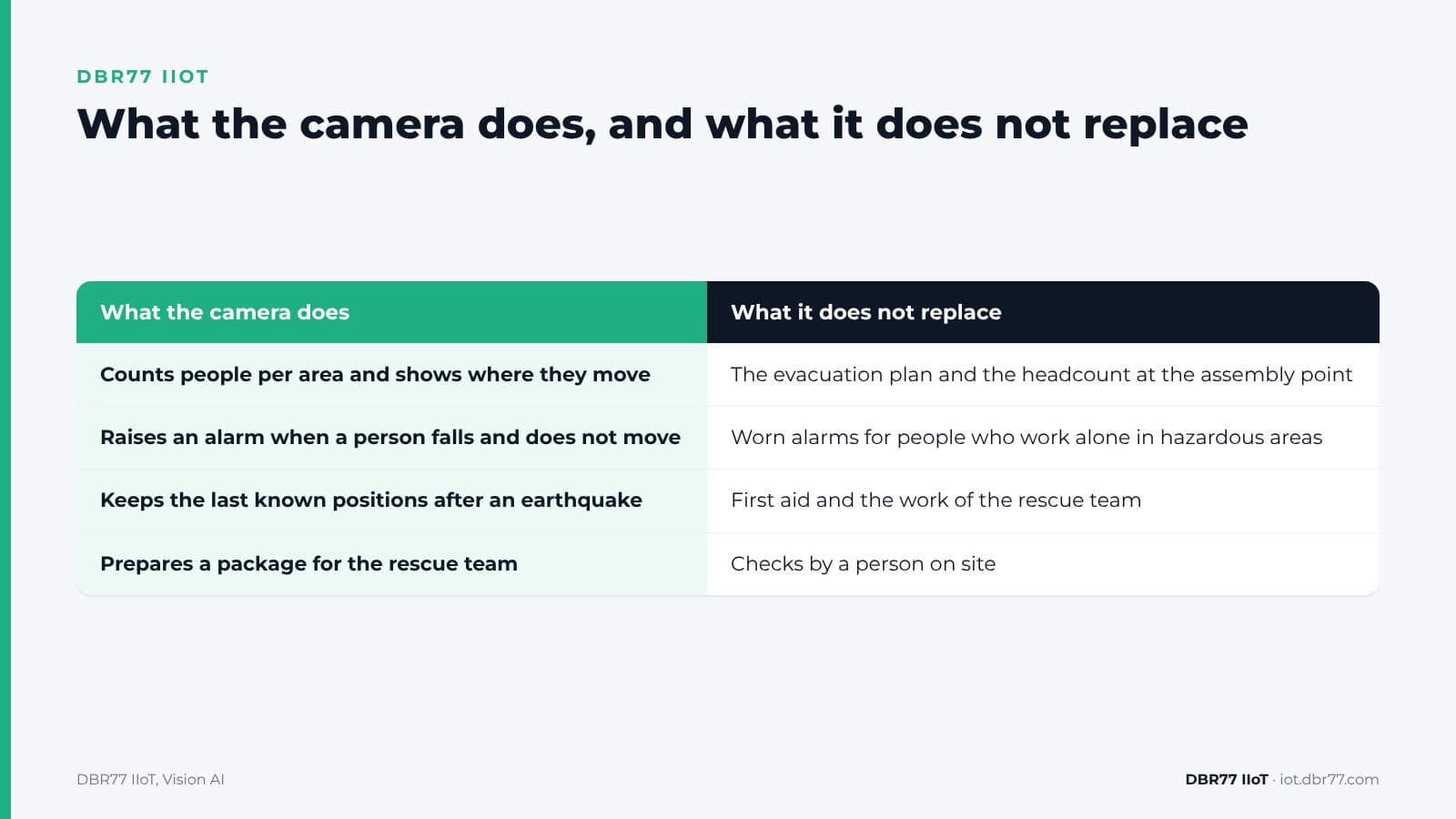
| What the camera does | What it does not replace |
|---|---|
| Counts people per area and shows where they move | The evacuation plan and the headcount at the assembly point |
| Raises an alarm when a person falls and does not move | Worn alarms for people who work alone in hazardous areas |
| Keeps the last known positions after an earthquake | First aid and the work of the rescue team |
| Prepares a package for the rescue team | Checks by a person on site |
See what your cameras would cover
Send us a few photos and one or two short videos from your halls, taken under your photo policy. We show you what the system detects and where it would miss a person.
What the camera cannot see
A camera only covers what it sees. A person behind a rack, under a machine, in an area without a camera or in poor light gives no alarm. Do not put cameras in toilets or changing rooms. In Poland the Labour Code excludes these rooms from monitoring, with narrow exceptions.
Camera-based fall detection also has known weak points. A 2021 review of vision-based fall detection found that the datasets used to train these systems lack real-world data, that some methods struggle when the person is partly hidden, and that others are very sensitive to changes in light. False alarms happen too, for example when someone lies on the floor to work under a machine. That is why a person checks every alarm, and the live view of the camera helps to do it quickly.
The under one second from the demo is the time from the fall to the alarm. The time until someone reaches the person depends on your alarm chain.
A camera system is also not a personal emergency signal system. In Germany such systems consist of worn devices and a receiving center, including an automatic alarm when the wearer stops moving, and they must meet VDE V 0825. For hazardous work alone, keep the worn alarms and the check-in routine. Cameras add a second layer in the areas they cover.
After an earthquake: what last known positions are worth
The Japanese Cabinet Office's business continuity guidelines name as a main goal of disaster management to confirm the safety of employees, etc., and rescue and support affected persons. A count per area and the last known positions help the emergency team decide where to look first.
The same guidelines say that, for important information systems, it is essential to secure redundant power sources and power lines. This matters for cameras too: if the cameras, the network switches or the computer that analyzes the images lose power, the positions freeze at the last processed image. That is why the screen and the package speak of last known positions. Dust or smoke can also block the view.
Plan backup power for the cameras, switches and the edge unit, and test what the screen shows when one camera goes dark. The package for the rescue team supports the headcount at the assembly point but does not replace it.
What to settle before the first camera goes up
Cameras that watch people for their safety touch data protection and labor law. These are the main points; check them with your safety team, your data protection officer and your works council or employee representatives:
- Purpose per camera. The European Data Protection Board says that purposes need to be specified for every surveillance camera in use. Write down for each camera whether it serves fall alarms, evacuation counts or both.
- Personal data. The heatmap and the counts do not name anyone. But the system follows people across cameras, and the images, tracks and alarm images relate to identifiable people, so this is personal data. A fall event can also be health data.
- Poland. Article 22(2) of the Labour Code allows video monitoring when it is necessary for, among other purposes, the safety of employees. It excludes sanitary rooms, changing rooms, canteens and smoking rooms. Employees must be informed at least two weeks before monitoring starts, the purpose, scope and method must be set in the work rules or a notice, and monitored areas must be marked with signs. Recordings may be used only for the purpose for which they were collected and kept for up to three months.
- Alarm chain. Agree who receives the alarm, who checks it and who goes to the person, and practice it in the next evacuation drill. Our article on why IIoT alerts fail on the shop floor shows how alarms lose their effect when nobody owns them.
- AI rules. Whether a given setup falls under the high-risk uses of the EU AI Act depends on how it is configured and used. Our time study article covers the AI Act points.
How to test it in one hall
The test follows the same path as any Vision AI check: a demo and a look at your halls, a test on a few photos and short videos under NDA, a proof of concept in one hall, and a rollout only if the results convince you.
- Camera. Any standard IP camera can be used, including the cameras you already have. Each image is analyzed in about 25 ms on a computer inside your building.
- Definitions. An engineer describes in words what to look for, for example a person lying on the floor, and the team can add new checks during operation. There is no dataset to collect and no training project.
- Reaction. You decide what happens: count, log, warn or notify a person, without programming. The system does not stop machines; a person decides.
- Cost. It is made up of the edge unit, the AI chip, the cameras and a monthly software license per unit. One unit can evaluate 1 to 40 cameras in parallel.
How processing on site differs from sending images to the cloud is covered in our article on edge versus cloud in manufacturing.
Where this sits in DBR77 IIoT
Vision AI is the camera layer of DBR77 IIoT. The same principles apply across the system:
- Our devices only read. They never send commands to your machines and do not change the control system.
- Images are analyzed on site and video is not recorded.
- Vision AI runs on DBR77 Vector, our own industrial AI, which can be deployed on your servers. Your data trains no model without written consent, and DBR77 is certified to ISO/IEC 27001:2022.
- Vision AI events land in IRIS, next to the machine data.
FAQ
Does it replace a lone worker alarm?
No. Worn alarms work wherever the person goes; cameras only see the areas they cover. For hazardous work alone, keep the worn alarms and the check-in routine.
How fast is the alarm?
In the demo, the alarm goes out in under a second after the fall. The time until someone reaches the person depends on your alarm chain, and a person checks every alarm.
Does the system know who is still inside?
It knows how many people are in each area and where they were last seen, not who they are. Names come from your own evacuation list.
What happens if the power goes out?
The positions freeze at the last image the system processed. Backup power for the cameras, switches and the edge unit keeps the picture current for longer.
Is the heatmap personal data?
The heatmap and the counts do not name anyone, but the images, tracks and alarm images relate to identifiable people, so the system processes personal data. Plan the purpose, access and retention with your data protection officer.
Conclusion
Pick one hall where people often work alone or where an evacuation would be hard to count, for example a stockroom or a night shift area. Before the test, write down which areas the cameras must cover, who should get a fall alarm and who receives the count in an emergency. Then check where people would be out of view and how the cameras are powered. That gives you the basis for a first test on photos and short videos from the hall.
Bring one hall to the demo
Show us the hall, the camera positions and where people work alone. We show you the heatmap, the fall alarm and the emergency count on a similar example and what it would need in your plant.
Sources
- Eurostat, Accidents at work, statistics on causes and circumstances, 2025
- U.S. Bureau of Labor Statistics, Census of Fatal Occupational Injuries 2024, 2026
- DGUV, DGUV Regel 112-139, Einsatz von Personen-Notsignal-Anlagen, 2012
- OSHA, 29 CFR 1910.38 Emergency action plans
- J. Gutiérrez, V. Rodríguez, S. Martin, Comprehensive Review of Vision-Based Fall Detection Systems, Sensors, 2021
- Cabinet Office, Government of Japan, Business Continuity Guidelines, 2023
- European Data Protection Board, Guidelines 3/2019 on processing of personal data through video devices, 2020
- Sejm of the Republic of Poland, Labour Code, consolidated text, Journal of Laws 2026 item 1245, 2026
- DBR77, DBR77 IIoT, 2026
- DBR77, IIoT and Vision AI customer presentation, 2026